Phigros++ on iOS: 549 hooks baked into an app that can't write code
tl;dr
Phigros++ now builds from the same sources for Android and iOS. On an iPhone 17 Pro Max on iOS 27.2, Dobby's hooks silently did nothing. Eight memory experiments later, a debugger wrote the code for it, then patch_ipa.py baked 549 hooks into UnityFramework (24-byte stubs reading 8-byte slots), and the game loads every mod from a plain sideload, no debugger, no JIT.
Phigros++ ran on my Android tablet, and my friend Maren had something I didn’t: an M2 iPad on iOS 16, jailbroken. So he gave me a decrypted IPA of the game, and I wanted Phigros++ on my iPhone too, from the same code as Android, not a fork.
It ended up being two problems. The first was porting a native Android library to iOS, which went mostly as expected. The second was making it hook anything on a recent iPhone, where Apple doesn’t let an app change its own code, and that one took a debugger, eight memory experiments and a patcher that writes 549 hooks into the game before it’s even installed.
At the end, the phone runs Phigros++ from a plain sideload, with no debugger and no JIT:
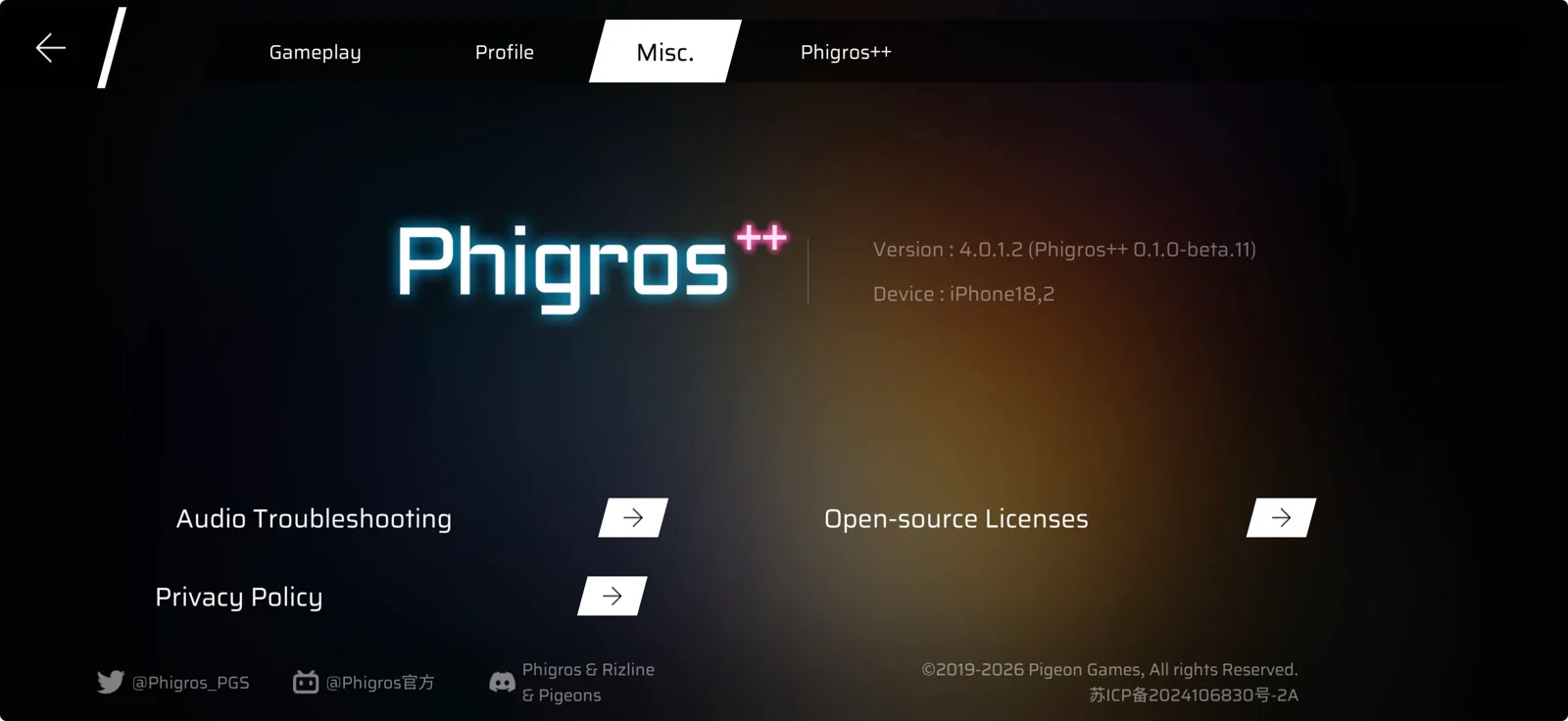
As before, Phigros++ is unofficial and not affiliated with Pigeon Games.
What’s in an IPA
An iOS app ships as an .ipa, which is a zip of an app folder. This one is 2,320,480,293 bytes, and almost all of it is the game’s assets:
Phigros.ipa                          2.3 GB, a zip
└── Payload/Phigros.app/
    ├── Phigros                      87 KB, a launcher
    ├── Info.plist                   name, bundle id...
    ├── Data/                        2.56 GB of assets
    ├── Frameworks/
    │   └── UnityFramework.framework/
    │       └── UnityFramework       81 MB, the game
    ├── _CodeSignature/              Apple's signature
    └── SC_Info/                     App Store encryption
The Phigros executable is tiny. It loads UnityFramework, a Mach-O library holding Unity’s engine and the whole game compiled by IL2CPP. On Android those are separate libraries (libunity.so, libil2cpp.so), loaded one after the other. Here they’re one file.
Two things made the port possible at all. First, the IPA was decrypted: App Store binaries are encrypted with Apple’s FairPlay, tied to the account that downloaded them, and Mach-O files say so in a load command (LC_ENCRYPTION_INFO_64 on arm64). Both Phigros and UnityFramework said cryptid 0, thanks to Maren’s jailbreak, so I could read and patch them. Second, UnityFramework exports all 241 il2cpp_* functions (il2cpp_init, il2cpp_class_from_name, …). Phigros++ only talks to the game through those, by class and method name, so the whole Lua side could carry over.
On Android, the hardest part of booting was waiting for libil2cpp.so to be loaded, which meant hooking the dynamic linker. On iOS, il2cpp is inside UnityFramework, so it’s already in memory when Phigros++ starts. The boot chain shrinks to: constructor, hook il2cpp_init, done.
One code base, two platforms
I split everything that differs per platform into its own file, with the same functions on both sides:
| Part | Android | iOS |
|---|---|---|
| Native glue | android.c | ios.c |
| Lua glue | android.lua | ios.lua |
| Loaded by | libmain.so, one DT_NEEDED | UnityFramework, one load command |
| Logs | logcat | os_log, plus log.txt |
| Mods folder | /sdcard/Android/data/... | the app’s Documents/ |
The C side picks its file at build time, and the Lua side checks phigrospp.platform: both android.lua and ios.lua ship in the bundle, and each starts by returning early on the other platform. Everything else (the bridge, hooks, replays, the chart decoder, sync) is shared.
Building for iOS on Linux
I wanted to build on Linux like the rest of the project, without a Mac in the loop. It’s a cross compiler setup: plain clang with -target arm64-apple-ios15.0 (the game’s own minimum), lld’s Mach-O linker (ld64.lld), and an iOS SDK from theos/sdks, all pinned in the project’s Nix shell. The iOS half of build-lib.sh is the result of what broke along the way:
- CMake refused the SDK with
... is not an iOS SDK, because it checks that the SDK’s path contains/iPhoneOS. A Nix store path doesn’t, so the tarball is fetched without stripping its top folder, which keepsiPhoneOS16.5.sdkin the path. - Then it wanted
install_name_tool, which comes with LLVM’s tools, not with clang. - Lua’s
os.executecallssystem(), which iOS marks unavailable ('system' is unavailable: not available on iOS). Lua has a hook for exactly this, so a compiler flag makes it report “no shell” instead, and the vendored Lua stays untouched. - Dobby’s iOS code patcher looks up a system function by name, so its symbol resolver plugin had to be turned on (
undefined symbol: DobbySymbolResolver). - The assembly thunks needed Mach-O spelling: a leading
_on symbols,@PAGE/@PAGEOFFinstead of:lo12:,.private_externinstead of.hidden. A few macros cover both.
While there, the random bytes for replay keys moved from getentropy (Android API 28+) to arc4random_buf, which exists on both. The iOS library came out at 762,548 bytes, against 846,296 for Android.
Audio, and the things Android gave for free
Custom charts carry their song as Opus in a WebM file. On Android, AMediaExtractor read the WebM container and the Opus library decoded it. Apple’s audio APIs don’t read WebM, so I wrote a small WebM reader in C, shared by both platforms. WebM is EBML, a binary tree of elements, each with an ID and a variable-length size. The reader walks it, finds the Opus track and its header, and feeds every block to libopus. Anything that isn’t Opus goes to each platform’s own decoder (AMediaCodec on Android, ExtAudioFile on iOS). Against ffmpeg with the same libopus, the output differed by at most 1 in the last bit of a 16-bit sample.
A few Lua helpers went through Android’s JNI and needed an iOS version. The game’s toasts (the little “Copied” messages) go through JNI, so on iOS Phigros++ draws its own with its UI pieces, at the bottom of the screen, gone after 2.5 s. Sharing copies to the clipboard instead of opening a share sheet. And the thermal state comes from NSProcessInfo through a raw Objective-C message send from C, mapped onto Android’s scale so the monitor mod reads the same numbers.
Patching the IPA
scripts/patch_ipa.py turns the game’s IPA into Phigros++‘s:
- It adds one
LC_LOAD_DYLIBcommand for@executable_path/Frameworks/libphigrospp.dylibtoUnityFramework, in the free bytes after its last load command, and puts the dylib inFrameworks/. - It renames the app in
Info.plist: bundle idsh.molly.phigrosplusplus, name “Phigros++”, the app’s folder visible in the Files app (that’s where mods and charts go), and iPhones with a 120 Hz screen allowed to draw more than 60 frames per second (CADisableMinimumFrameDurationOnPhone, without which iOS caps apps at 60). - It drops the store’s files: every
_CodeSignature/,SC_Info/,iTunesMetadata.plist(which holds the account that “bought” the game),iTunesArtwork,embedded.mobileprovisionandMETA-INF/. The sideloading tool signs the app again anyway. - It draws the ”++” tab on the home screen icon, at every size iOS asks for, from the store’s 600 px artwork.
- It copies everything else byte for byte, without recompressing 2.3 GB (yeah).
It reuses the zip writer from the Android patcher, with one difference: Android wants uncompressed entries aligned to 4 bytes, which the writer does with padding in each entry’s extra field, and unzip -t called those bad extra-field entry in an IPA. So the IPA is written without padding. Two builds gave the same bytes.
Hooks that silently do nothing
The first device to try it was Maren’s iPad, an iPad Pro M2 on iPadOS 16.1, and it crashed at launch. The crash report was frustrating: Unity’s own crash catcher had crashed while handling the real error, on a null pointer, so the report only showed the catcher. The last frame of the game was Unity setting up il2cpp’s memory, before Phigros++ does anything, and libphigrospp.dylib didn’t appear in it at all. I still don’t know what that was.
The iPad wasn’t mine, so the rest happened on my iPhone 17 Pro Max on iOS 27.2, through my Mac over SSH: install with devicectl, read crash logs. macOS keeps the keychain locked for SSH sessions, so codesign first failed with errSecInternalComponent, and unlocking it in one SSH session doesn’t unlock it for the next one. The unlock and the signing now run in the same command.
Then the game launched, ran, and showed its title screen. Without Phigros++.
That’s expected without JIT: Phigros++ checks for it first and turns itself off. “JIT” on iOS means a debugger attached to the app, which marks it as debugged, and a debugged app is allowed to change its own code. So I launched it under lldb from the Mac. Still nothing, and not even an error.
Collecting the phone’s system log from the Mac (log collect) wants a USB cable, and the phone was on Wi-Fi (and it has nothing to do with the fact that I was too lazy to grab a cable). So Phigros++ now also writes its log to Documents/phigros++/log.txt, which you can open in the Files app, and which I could copy off the phone over Wi-Fi. With a few temporary lines in it, the log said:
csops flags 32003005
il2cpp_init code a9be4ff4 a9017bfd
The flags include 0x10000000, CS_DEBUGGED, so the debugger did its job and Phigros++ went on to hook il2cpp_init. And Dobby said yes. But the first instruction of il2cpp_init was still a9be4ff4, the game’s own stp x20, x19, [sp, #-0x20]!, right after the hook “succeeded”. Reading it again through the debugger, straight from the process’s memory, gave the same bytes.
The reason Dobby said yes is that DobbyHook returns 0 whether the write worked or not (can’t fail if we never tell the user it failed!). It only returns -1 for a null address or a function it already hooked, then calls routing->Commit(), which writes the jump, and never looks at its result. The write did fail. On recent chips (A15 and M2 onward), code signing is checked by a separate, hardware-protected part of the system that Apple calls TXM (see Operating system integrity in Apple’s security guide), and since iOS 26 it doesn’t let a debugged app write its own code anymore. Older chips on iOS 26 keep the old JIT.
Eight experiments
When you don’t know the first thing about how iOS treats code in memory, the grown-up move is to read the documentation. I wrote tests instead. Each one goes into the boot code, ends with “run it and see if it returns the right number”, and runs under the debugger:
| # | What the app does | Result |
|---|---|---|
| 1 | writes return 44 to its own memory, makes it executable, runs it | killed, code=50 (code signing) |
| 2 | debugger writes the page once, app writes return 43 through a second, writable mapping | 43 |
| 3 | Dobby’s way: make a game code page writable as a copy, write, make it executable again | the last step fails |
| 4, 5 | second mapping of a game code page, made writable | allowed, but I only wrote the same bytes back |
| 6 | like experiment 8, but the debugger never touched the page | never ran: experiment 7 had already killed the app |
| 7 | like experiment 2, but the debugger never touched the page | killed, code=50 |
| 8 | debugger writes 4 unchanged bytes into a code page of my library, app rewrites a function there through a second mapping | 45 |
The rule that comes out of this: a page of code can run what the app writes into it only after a debugger has written into that page once. After that, the app can keep writing to it itself, through a second mapping of the same memory (vm_remap, Mach’s cousin of mmap), which is never executable itself. It’s the same rule JJTech0130 described for iOS 18.4 beta 1 in a gist (separate executable and writable mappings, and the debugger writing once to every page to run), which I only found afterwards. These experiments confirm it on iOS 27.
A debugger has to be able to write code, otherwise breakpoints wouldn’t work, and Apple can’t take that away from Xcode. So the debugger became the one doing the writes.
The debugger writes the code
Dobby’s code writing goes through one function, DobbyCodePatch. Phigros++ defines its own on iOS, so the linker uses that one instead of Dobby’s, and the vendored code stays untouched. The first version asked the debugger for every write, with a breakpoint instruction carrying the request in registers:
// x0 = where, x1 = the bytes, x2 = how many
__asm__ volatile("brk #0xf00d" : : "r"(x0), "r"(x1),
                 "r"(x2) : "memory");
On the Mac, an lldb stop hook in Python (lldb’s docs) sees the stop, checks that the instruction is brk #0xf00d, copies the bytes into the app, moves the program counter past the brk and lets it go. That took more attempts than it sounds:
- lldb never stopped at first. It had no symbol files for iOS 27.2 (the Mac only had 27.0’s), so at the first stop it read every system library out of the phone’s memory, over Wi-Fi.
target.memory-module-load-level minimalfixed that. - My first loops never saw the stops either. Inside a command, lldb doesn’t update the process state, and a synchronous
Continue()never returned. lldb’s own scripted stop hook, which returns “keep going” or “stay stopped”, was the way. - The second request read a stale address:
frame.GetPC()still returned where I’d moved the program counter after the first request (...df78), while the real stop was at...dd04. Reading thepcregister directly is right. - And a few small ones: a suspended app disappeared when lldb took too long to attach (over 20 seconds), and installing over an app that a debugger holds stopped hangs.
Then it worked. il2cpp_init was patched (90fcbbf1), and the log said:
Phigros++ ready, ticking on CanvasUpdateRegistry.PerformUpdateAnd then the screen stayed black. Every write was a full stop of the app, read and handled over a network link to the phone, with 42 threads to look at each time:
| Writes | Time per write | Of which in my hook |
|---|---|---|
| first 20 | 6.57 s | 0.71 s |
| next 20 | 2.30 s | 0.84 s |
A hook is about two writes (Dobby’s copy of the original instructions, then the jump), and the core sets dozens of them while loading. At 2.3 seconds each, the game would take minutes to load.
One stop per batch
Experiment 2 gave the fix: the debugger only needs to touch each page once. So writes now wait in a queue, and a flush does everything in one stop:
- it lists the pages that the queued writes touch and the debugger hasn’t touched yet,
- one
brkhands that list to the debugger, which writes each page’s first 8 bytes back unchanged, - the app applies every queued write itself, through second mappings.
A write to a page that’s already been touched happens right away, unless something is waiting in the queue (to keep the order). The flushes happen right after the il2cpp_init hook, once the per-frame hook is set, and at the end of every frame. Until its batch is flushed, a hooked method just runs its original code.
With that, the core and the mods loaded in one go. And since the debugger is only needed to touch pages, it can leave once the game has loaded. I detached it and the game kept going, title screen animating, mods running. A hook set later on a page nobody touched would need a debugger that’s gone, so Phigros++ checks for one before a flush, and if it left, it logs the debugger left, N code writes wait for the next launch instead of stopping on a brk that nobody would answer.
The stop hook in the repo is this batched version: x0 is the list of pages, x1 its length.
That was a working port, for anyone with a Mac, lldb and that script. It wasn’t something I could hand to people, though. I wanted the app alone, with no debugger involved.
Baking the hooks into the IPA
At runtime, iOS won’t run code the app writes. But it runs whatever was in the IPA when it was signed, and the sideloading tool signs whatever it’s given. So the hooks can be written before installing, by patch_ipa.py, and at runtime Phigros++ only has to change data, which every app is allowed to do.
The idea is close to how libraries call each other through a Global Offset Table: code that jumps through a pointer, and a table of pointers you can rewrite. For each method Phigros++ might hook:
- its first instruction becomes
b stub_i, a 4-byte jump, so only one instruction has to move, - stub i goes in the unused space at the end of
UnityFramework’s code. It loads slot i, 8 bytes in the unused space at the end of its data. If the slot is 0, it runs the moved first instruction and jumps back into the method. Otherwise it jumps to the address in the slot, - hooking is writing Phigros++‘s thunk address into the slot, and calling the original means jumping to the stub’s copy of the first instruction.
The patcher writes, for each of them:
stub_i:  adrp x16, slot_i@PAGE
         ldr  x16, [x16, slot_i@PAGEOFF]
         cbz  x16, original
         br   x16
original:
         <the method's first instruction>
         b    method + 4
il2cpp_init, the first of the 549. Its first instruction now jumps to a 24-byte stub that reads an 8-byte slot. A slot of 0 runs the moved instruction and goes back into the method at +4, so the game behaves exactly as before. A slot holding Phigros++'s thunk sends the call to Lua, which can still call the original through the stub's second half.Three details make it hold up. Slots start at 0, because they sit in a zero-filled part of the data segment, so the patched game plays exactly like the stock one until Phigros++ sets a slot, and nothing has to be prepared before the game’s own code starts. Phigros++ also needs no list: given a method’s address, it reads the b, checks that the stub is one of mine (adrp/ldr x16, cbz, br), and decodes the slot’s address from the stub’s adrp and ldr. A method without a stub falls back to Dobby, which works when JIT does. And moving the first instruction is only tricky when it depends on where it is. Of the first 500 targets, 491 started with an ordinary instruction (copied as is), 7 with a b (a tail call, re-aimed from the new place) and 2 with an adrp (re-encoded for the new page). Anything else, like a short conditional branch, gets skipped.
All of it is position-independent: everything a stub points at is inside UnityFramework, so ASLR moving the library around doesn’t matter.
UnityFramework's __TEXT, after its last section and before the page boundary, is 15,296 bytes of zeros: room for 637 stubs, 549 used. The end of __DATA, after the zero-filled __common, has 12,104 bytes, enough for 1,513 slots.Which methods?
Stubs have to exist before the app is signed, so the patcher has to guess every method the core and the built-in mods could ever hook. Lua names hooks in all sorts of ways: hook(CS.SEPlayer, "Start", ...), method names from a loop, coroutine classes found by pattern (LevelControl.<Start>). So the patcher reads the sources (the core Lua, mods/, the C files) and matches them against the game’s 164,954 methods from the Il2CppDumper dump:
| Rule | Methods |
|---|---|
| method name appears as a string | 23,044 |
| … and its class name appears too | 12,070 |
| … no generic classes, coroutines count as their outer class | 500 |
| every word-like token counts as a method name | 727, more than fits |
| strings read properly, comments skipped | 544 |
| … plus Lua table keys | 549 |
The last two rows also count il2cpp_init, which the patcher always adds, and which isn’t one of the dump’s methods.
The first row was mostly .ctor (18,843) and MoveNext (3,406): both names appear as strings, so every constructor and every coroutine in the game matched. Requiring the class name too still kept 12,070, mostly generic classes like ArraySegment.Enumerator<byte> whose names contain a common word. Without generics, 500 were left, but the string scan behind those rows had a bug (below) that hid some real hooks. Counting every word-like token as a possible method name instead caught them, at 727, more than the 637 stubs that fit, so the fix had to be in the scan itself. The two last fixes came from the phone. First, couldn't hook OnPointerClick: my first string scan paired up every " in the concatenated sources, so a single '"' somewhere shifted the pairing, and half the strings ended up “outside” quotes. Now a small tokenizer reads Lua and C strings properly and skips comments. Then couldn't hook get_dpi: the replay code hooks Screen methods from a table, { get_width = "width", get_dpi = "dpi" }, and those names are keys, not strings. Lua table keys count now.
Fixing misses one launch at a time was slow, so I did one run with the debugger attached and Phigros++ logging every hook that fell back to Dobby. Everything the core and the built-in mods set while loading had a stub. Then the real test: install, launch from the home screen, nothing attached.
Phigros++ ready, ticking on CanvasUpdateRegistry.PerformUpdate
loaded charts
loaded hud
...
loaded version
Installing it like anyone would
Then I installed it the way other people would, with AltStore’s AltServer on the Mac: hold ⌥ while its menu bar menu is open, pick “Sideload .ipa…”, choose the phone and the IPA. It signed it, copied it over, and the app launched with every mod loaded and nothing attached. It just worked.
The phone linked itself to phigros.tools like any Android device, under the model code Unity gives it:
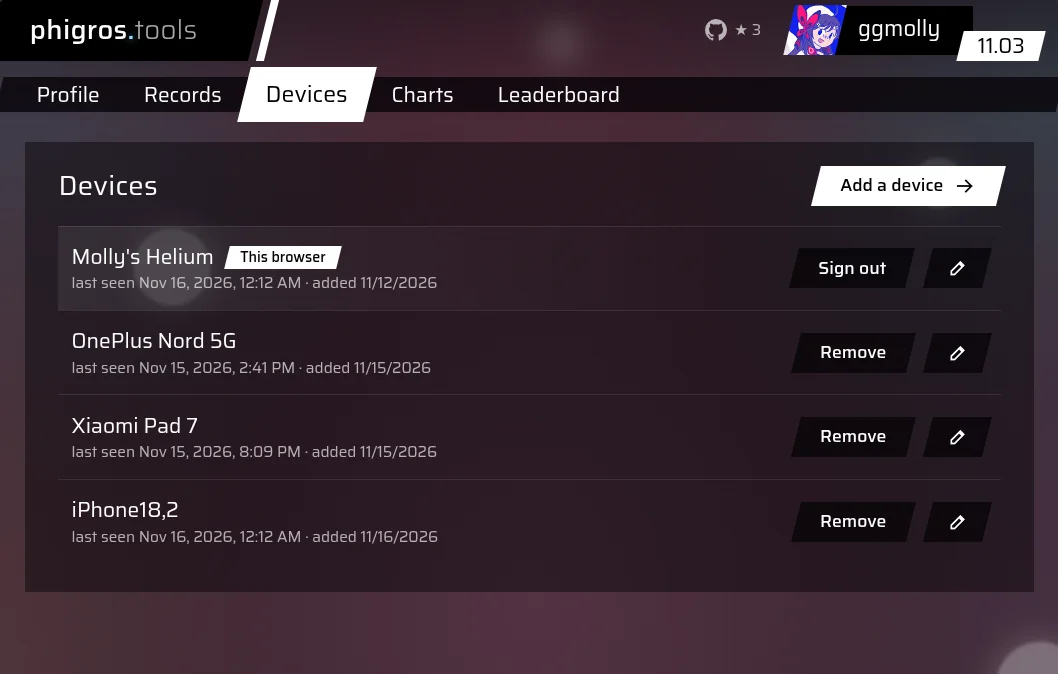
iOS no longer gives apps the name you gave your phone (it’s just “iPhone” since iOS 16), and turning iPhone18,2 into “iPhone 17 Pro Max” needs a table that grows with every model. The site has a rename button.
Loose ends
- I’ve tested it as far as the settings and the sync link. Songs and replays set hooks of their own, some only in specific moments, and a missed one shows up as
couldn't hook ...inlog.txt. - Maren’s iPad crash is unexplained. The new build doesn’t need JIT, so it doesn’t take the path the old one did.
- Mods added on the phone can only hook methods the IPA prepared, unless JIT is on. Dobby writes them itself before iOS 26 or on older chips. After that, they need the debugger attached, with
scripts/jit.pyserving its writes. Putting them inmods/before building the IPA covers them. - 637 stubs fit and 549 are used. The build stops with a clear message when it runs out.
- The debugger path (
scripts/jit.py, the queue, the flushes) now only matters for those extra hooks on iOS 26 and later. It might go. - The IPA calls itself 4.0.3, while the game itself says 4.0.1.2, the same as the Android build.
- Building it needs a decrypted IPA and its il2cpp dump. There’s no download: it would contain the whole game.
If you have a decrypted IPA of Phigros and its il2cpp dump, make ipa builds Phigros++‘s, and AltServer’s “Sideload .ipa…” (or Xcode, or anything that signs) puts it on the phone. Launch it like any app. The code is on GitHub, on the feat/ios branch for now.